


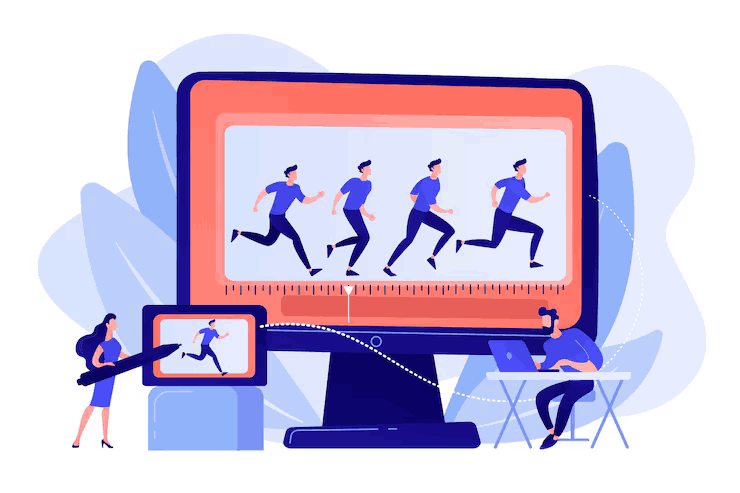
Ever wondered if motion graphics and video editing are the same thing? You’re not alone. They both involve video, software, timelines, and a lot of creative choices. But they’re not interchangeable. They do totally different things in the video world.
Whether you're mapping out your next marketing push or simply wish to sound intelligent about it at the next Zoom meeting, it's time to dissect motion graphics vs. video editing and determine what makes them unique.
Motion Graphics vs. Video Editing: What's the Real Difference?
Let's begin with a brief definition. Video editing is the art of cutting, trimming, and assembling video clips into a finished story. Motion graphics, on the other hand, is about designing animated visual elements such as moving text, shapes, icons, or logos.
Still unclear? Try to think of it this way: video editing is the glue that keeps your footage together. Motion graphics is the spice that gives it pop.
What Is Video Editing?
Video editing is where raw footage is turned into a finished product. Editors take hours of footage, remove the boring parts, and organize everything to tell a clear and engaging story.
Tasks Involved in Video Editing
A video editor will:
- Trim and reorganize clips for flow.
- Add transitions between scenes.
- Sync audio with video.
- Add music or voiceovers.
- Color correct and enhance footage.
In essence, if it has anything to do with getting the actual video footage organized and glossed up, it's video editing.
When You Need a Video Editor
Having a live-action commercial planned? Recording interviews? Making a vlog or YouTube video? You'll need a video editor to get it all looking smooth, professional, and publish-ready.
What Are Motion Graphics
Motion graphics are animated design features that are applied to videos in order to give them more depth. These might be titles, lower thirds, graphs, infographics, icons, or animated logos.
Motion Graphics Add Visual Flair
Picture watching a video with no title screen, no text on the screen, and no transitions. Not very exciting, huh? Now picture it with cool text that slides in, animating charts, and playful visual cues that lead your eyes. That's motion graphics magic.
Where Motion Graphics Shine
They're ideal for explainer videos, brand introductions, product demos, or whatever requires a tidy, visual slap. You don't even require live-action to utilize motion graphics; lots of videos are produced entirely using them.
Tools of the Trade
You might be surprised to hear that both video editors and motion graphic designers often use the same programs, like Adobe Premiere Pro and After Effects. But how they use them is different.
Editors Focus on Storytelling
Video editors use Premiere Pro (or similar tools) to focus on the timeline. They arrange clips, match audio, and create rhythm.
Designers Create Visual Elements
Motion graphic designers typically work in After Effects, creating animations from scratch. Their universe is populated with keyframes, masks, and motion paths.
How They Work Together
Here's the best part: you don't have to use one or the other. Most good videos employ both. A video editor may cut the footage and then pass it on to a motion designer who adds titles, transitions, and animated graphics.
In most situations, a single individual may fill both roles, particularly on small projects.
Which One Do You Need?
If you've got loads of raw footage and someone to mold it into a narrative, hire a video editor. But if you're looking to make dynamic visual elements, illustrate data playfully, or simply inject some life into a project, bring in the motion graphics artist.
Not certain yet? Ask yourself this:
- Do I already have footage that must be edited? You require video editing.
- Do I want to make animated graphics from scratch? You require motion graphics.
- Do I want both? You guessed it… you require both!
Wrapping Up: Motion Graphics vs. Video Editing
So you know now the difference between motion graphics vs. video editing. One involves crafting the story and footage, and the other brings animation design magic. In combination, they help create unprocessed content into engaging videos that are crisp and professional-looking.
The next time someone asks, "Can you add some motion graphics to that video edit?" you won't freak out. You'll smile confidently and perhaps even toss in a hip term like "lower thirds" for kicks.
Tap here to learn more about motion graphics.