


Hard Surface Modeling in 3D Animation: Creating Realistic Objects and Machinery
March 19, 2026 • 8 min read
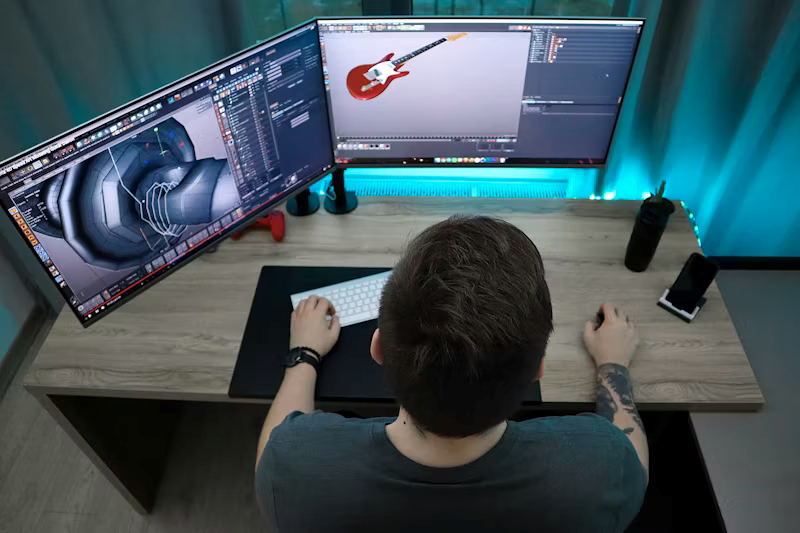
Have you ever watched a 3D animation and thought how real the machines look? Or wondered how product visuals feel so solid and precise. The answer often lies in hard surface modeling 3D techniques. This approach focuses on creating structured objects like vehicles and devices. It helps artists design models that look clean and believable.
In modern animation projects, creators must balance two priorities. They need visual realism and technical accuracy. Hard surface modeling supports both goals. It allows teams to build objects that match real-world proportions and details. From industrial machinery to consumer products, this method plays a major role. Let us explore how this modeling style works and why it matters for animation success.
Hard Surface Modeling 3D and Its Importance
What Is Hard Surface Modeling
Hard surface modeling 3D refers to the process of creating rigid objects with defined edges and flat surfaces. Artists use this method to design items that do not bend or stretch. Examples include tools and engines. These models require careful attention to symmetry and geometry.
Hard surface modeling helps animators achieve clarity and precision. It supports both visual storytelling and technical demonstrations. When models look realistic, viewers understand the function of the object better.
Why It Matters in Animation Projects
Animation today is not just about characters and environments. It is also about products and machines. Companies use 3D visuals to explain features and show performance. Hard surface modeling helps present complex designs in a simple way.
It also improves viewer trust. When objects look accurate, audiences feel more confident about the message. This is especially useful in industrial marketing and training videos.
Hard Surface vs Organic Modeling
Understanding the Key Differences
Hard surface models focus on straight lines and sharp corners. Organic models focus on curves and flexible shapes. Think of a robot and a human face. One needs precision, and the other needs smooth flow.
Artists often switch between these two styles. They choose the approach based on project goals and subject type. Understanding the difference helps teams plan modeling workflows effectively.
When to Use Each Style
Hard surface modeling works best for machines and architecture. Organic modeling suits animals and natural forms. Combining both styles can create balanced scenes. For example, a character may interact with a vehicle or device.
This mix helps animators build richer stories. It also improves realism by showing contrast between materials and shapes.
Common Techniques for Hard Surface Models
Polygon Modeling
Polygon modeling is one of the most used techniques. Artists build objects using points and faces. This method provides control over shape and structure.
It also supports detailed adjustments. Designers can refine edges and surfaces step by step. This flexibility makes polygon modeling suitable for complex machinery.
Subdivision Modeling
Subdivision modeling smooths the surface while keeping the core structure intact. Artists start with a simple base and add detail gradually. This approach helps achieve clean curves and balanced proportions.
It is useful for products that need both sharp lines and smooth finishes. The technique supports realistic rendering and animation performance.
Boolean Operations
Boolean tools allow artists to cut or combine shapes easily. They help create holes and mechanical joints. This saves time during the modeling process.
However, artists must check mesh quality after using Boolean operations. Clean geometry ensures better lighting and texture results.
Tools Used for Hard Surface Modeling
Popular Software Choices
Artists rely on specialized software to create mechanical models. Programs like Autodesk Maya and Blender offer strong modeling features. These tools support precision editing and advanced rendering.
Each platform provides unique advantages. Some focus on animation integration while others focus on modeling speed. Teams choose tools based on project scope and workflow preferences.
Plugins and Add-ons
Plugins enhance productivity by automating repetitive tasks. They help generate patterns and improve mesh cleanup. Using the right add-ons can speed up project timelines.
Artists often experiment with different extensions. This exploration helps them discover efficient ways to build complex structures.
Mechanical 3D Modeling for Realistic Designs
Importance of Accuracy
Mechanical 3D modeling requires attention to measurement and scale. Even small errors can affect visual credibility. Designers study reference images and technical drawings before starting.
Accurate models help viewers understand how a machine works. This clarity is useful in product launches and industrial training content.
Surface Detailing and Texturing
Surface detailing adds realism to hard surface models. Artists include screws and panel lines. They also apply materials that match real-world finishes.
Texturing supports visual depth and storytelling. It shows wear patterns and usage marks. These elements make animations feel authentic and engaging.
Use Cases in Product and Industrial Animation
Product Visualization
Companies use hard surface models to present gadgets and appliances. High-quality visuals help customers explore features clearly. This approach supports marketing campaigns and online sales.
Animation also allows viewers to see internal components. This level of detail improves understanding and trust.
Industrial Demonstrations
Industrial sectors use mechanical 3D modeling to explain processes and workflows. Animated visuals simplify complex machinery functions. This helps train employees and inform stakeholders.
Clear demonstrations reduce confusion and improve safety awareness. They also support decision-making during project planning.
Automotive and Engineering Projects
Automotive brands rely on hard surface modeling for vehicle presentations. Engineers use animated models to test design concepts. This collaboration improves innovation and efficiency.
The same method supports the aerospace and manufacturing industries. Realistic visuals help teams identify improvements before production begins.
Challenges in Hard Surface Modeling
Managing Complex Geometry
Detailed machinery often involves dense geometry. Artists must balance detail and performance. Too many polygons can slow down rendering.
Optimizing models helps maintain smooth animation playback. It also reduces file size and project delays.
Maintaining Realism
Realism depends on lighting and material accuracy. Artists test models under different conditions. They adjust reflections and shadows carefully.
Continuous refinement ensures that visuals meet professional standards. This process requires patience and technical knowledge.
Workflow Planning in Hard Surface Modeling
Reference Collection and Concept Study
Before starting any hard surface modeling 3D project, artists spend time studying references. They look at real machines and product photos. They also review technical drawings and blueprints. This step helps them understand proportions and structure. A clear concept supports two outcomes. It improves modeling accuracy and reduces design revisions.
Concept study also helps teams define materials and surface finishes. Knowing whether an object is metal or plastic changes the modeling approach. This preparation allows artists to build models with confidence and clarity.
Blocking the Base Structure
Blocking is the stage where artists create the basic form of the object. They focus on large shapes and overall balance. Fine details are added later in the process. This method helps maintain proper scale and symmetry.
Working step by step also prevents geometry issues. Artists can review the silhouette and make corrections early. This improves workflow speed and final model quality.
Optimization Techniques for Better Performance
Reducing Polygon Density
Complex models can slow down animation performance. Artists reduce polygon density in areas that are less visible. This technique keeps the model detailed while improving efficiency.
Optimization supports two benefits. It helps with faster rendering and smoother animation playback. Teams often create different model versions for preview and final production.
Using Normal Maps and Baking
Normal mapping is used to add detail without increasing geometry. Artists bake great detail information onto simpler meshes. This process creates the illusion of depth and texture.
Baking improves visual realism and project performance. It is widely used in product animation and game design. Proper use of maps ensures consistent lighting and shading results.
Collaboration Between Modelers and Animators
Preparing Models for Rigging and Motion
Hard surface models must be built with animation in mind. Moving parts like wheels and joints require clean topology. Artists place pivots carefully and test rotations.
This preparation supports two goals. It ensures smooth motion and prevents deformation issues. Close collaboration between modelers and animators improves project outcomes.
File Organization and Asset Management
Large animation projects involve multiple assets and team members. Organized file naming and version control help avoid confusion. Teams maintain structured folders and clear update logs.
Good asset management saves time during revisions. It also supports efficient teamwork and faster delivery timelines.
FAQs
1. What is the main purpose of hard surface modeling 3D in animation
The main purpose of hard surface modeling 3D is to create realistic objects like machines and products. It helps artists show structure and function clearly in animations.
2. Which industries use mechanical 3D modeling the most
Many industries use mechanical 3D modeling, such as automotive and manufacturing. Product marketing and industrial training projects also depend on this technique.
3. Is hard surface modeling difficult for beginners
Hard surface modeling can feel challenging at first. Learning basic tools and practicing simple shapes helps beginners build confidence and improve skills over time.
Conclusion
In today’s digital landscape, hard surface modeling 3D plays a vital role in creating realistic machinery and products. It helps artists deliver two major benefits. These include visual precision and functional clarity. From marketing visuals to industrial training animations, this modeling style supports diverse creative goals.
If you want impactful animations that showcase complex objects, clearly consider professional mechanical 3D modeling solutions. Skilled teams can transform technical ideas into engaging visual stories. Explore advanced 3D animation services to bring your concepts to life and connect with your audience effectively.